Post by
 Overview
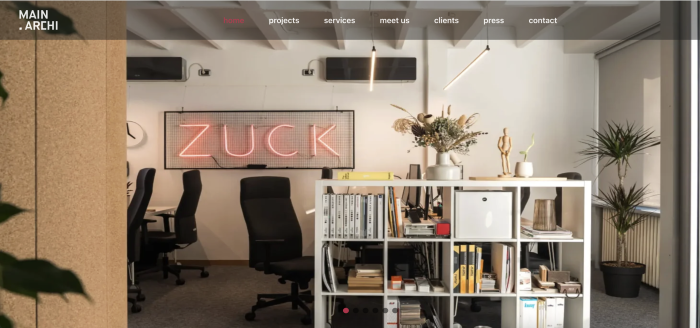
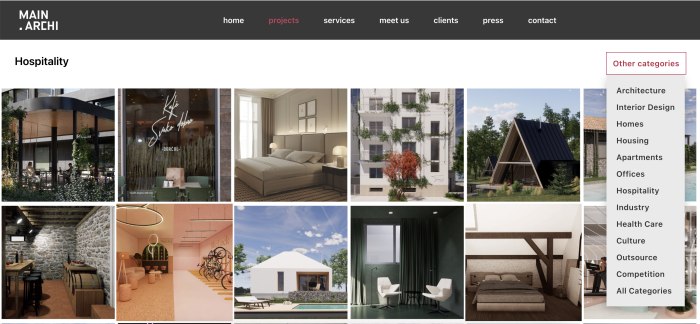
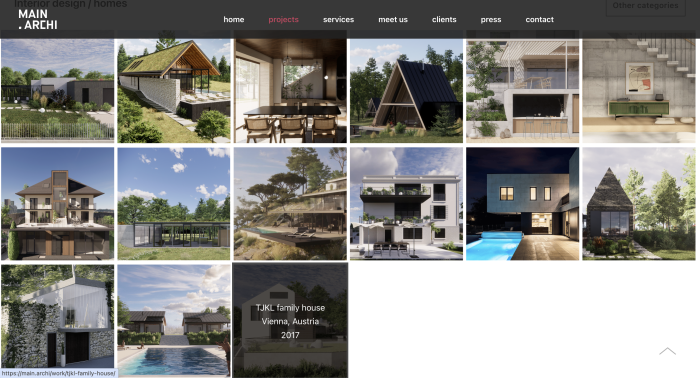
main.archi uses its public-facing WordPress website to present completed architectural projects and manage its growing portfolio. Through the CMS, the client’s team can add new projects, upload images, update content, and maintain plugin-powered galleries.
The website was still operational, but its underlying technology had become outdated. It was running WordPress 6.2.x, PHP 7.4, and nine plugins that required updates. Because several of those plugins supported essential portfolio and gallery functionality, the modernization needed to be completed without affecting the website or the client’s existing content-management workflows.
BlueGrid.io upgraded the website to WordPress 7.0 and PHP 8.4, updated all nine plugins, and resolved an additional spam-comment issue. The complete migration was delivered without downtime, user impact, or functionality loss.
The Challenge
Although no critical errors had been reported, the outdated environment presented several long-term risks:
- Compatibility issues with newer hosting environments
- Security concerns associated with PHP 7.4
- Greater risk of plugin conflicts during future updates
- Reduced maintainability
- Increasing complexity as updates continued to accumulate
The main technical challenge was to modernize the complete stack while preserving the functionality the client relied on every day. This included project portfolio pages, image uploads, galleries, navigation, and the ability to create and update projects through WordPress.
The live website also needed to remain continuously available. Any production change, therefore, required thorough testing, a complete backup, and a reliable rollback option.
During the initial review, we identified another issue: automated bots were submitting spam comments even though commenting was not visibly enabled on the website. The comments appeared only in the WordPress administration dashboard, but still created unnecessary spam and maintenance overhead.
Our Approach
We created a staging environment in order to use a staged deployment process to minimize production risk and verify that the upgraded environment would continue supporting both public-facing website functionality and the client’s internal content-management workflows.
The complete deployment process followed this sequence:
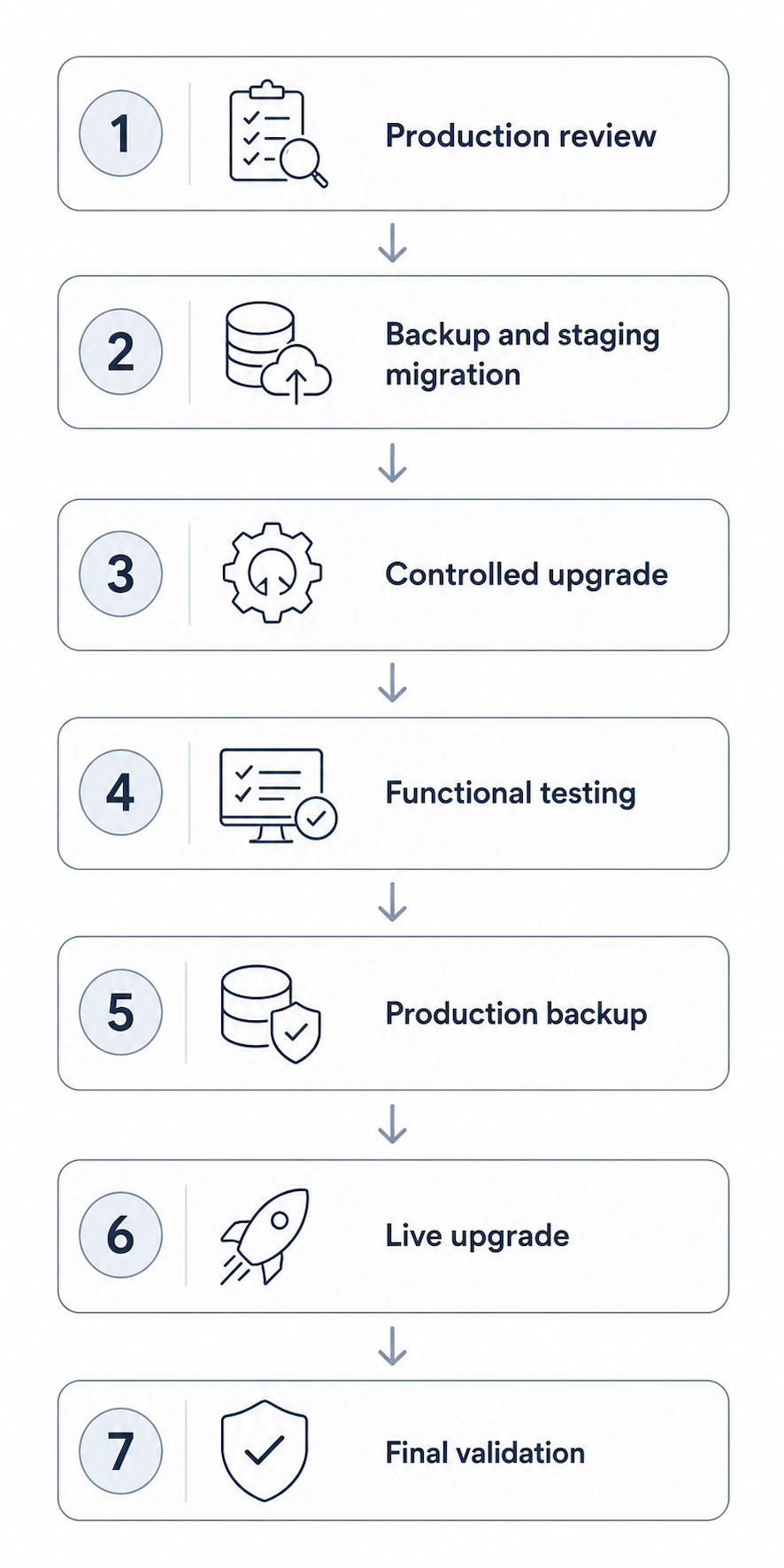
Stage 1: Staging Environment
A copy of the production website was migrated to an AWS staging environment using cPanel and WordPress migration tools. The team verified that staging matched the live website in content, configuration, plugins, and functionality.
Staging was secured so that it has no open ports to the outside world. We need it to function only as a middle level of verification for users via VPN connection and to be able to “communicate” with production when deploying a final version of the website.
Stage 2: Controlled Updates
The website was upgraded in stages:
- WordPress 6.2.x to 7.0
- PHP 7.4 to 8.4
- Nine WordPress plugins updated
The team validated each major update separately to identify potential compatibility issues early.
Stage 3: Functional Testing
The team compared the upgraded staging website with the production site and tested it across:
- Major pages and navigation
- Project portfolio pages
- Project creation and updates
- Image uploads and galleries
The team confirmed that all key workflows remained fully functional and that the deployment introduced no issues.
Stage 4: Production Deployment
Before updating the live website, a full cPanel backup was created to ensure rollback capability. The same tested updates were then applied to production, followed by final validation.
The team completed the deployment without causing downtime, affecting users, or losing functionality.
Technologies and Tools
WordPress, PHP, AWS, cPanel, and WordPress migration tools
Results
The website modernization was completed successfully with:
- WordPress upgraded from 6.2.x to 7.0
- PHP upgraded from 7.4 to 8.4
- Nine plugins updated
- Zero minutes of downtime
- No affected users
- No functionality issues introduced
- Full rollback capability through the production backup
- Portfolio, image-upload, and gallery workflows fully preserved
- Existing spam comments removed
- Further automated comment submissions prevented
The upgrade improved the website’s security posture, compatibility, stability, and long-term maintainability while preserving the way the client manages its portfolio.
Key Takeaways
The project demonstrated the importance of testing website upgrades against real business workflows, rather than checking only whether pages load correctly.
Using a staging environment allowed us to validate WordPress, PHP, plugins, project creation, image uploads, and galleries before making any changes to the live website. A complete production backup and rollback option further reduced deployment risk.
The engagement also showed how smaller maintenance gaps can gradually develop into a more complex modernization project when updates accumulate over time.
Conclusion
We’ve successfully modernized the main.archi’s WordPress website without interrupting its availability or affecting the client’s portfolio-management workflow.
Through staged testing, controlled updates, functional validation, and rollback-ready deployment, the website was moved to WordPress 7.0 and PHP 8.4, all nine plugins were updated, and the spam-comment issue was resolved.
The result is a more secure, stable, and maintainable platform that continues to support main.archi’s architectural portfolio and day-to-day content management.