Positioning
UI and UX define how users experience your product long before a single line of production code is written. Our design process focuses on understanding real users, reducing friction, and validating ideas early so development begins with clarity rather than assumptions.
This phase sets the usability and interaction standard for the entire product lifecycle. Decisions made here directly affect adoption, engagement, support cost, and the product’s ability to evolve without constant redesign.
UI/UX design is not about aesthetics. It is about making complex systems understandable and usable in real-world conditions.
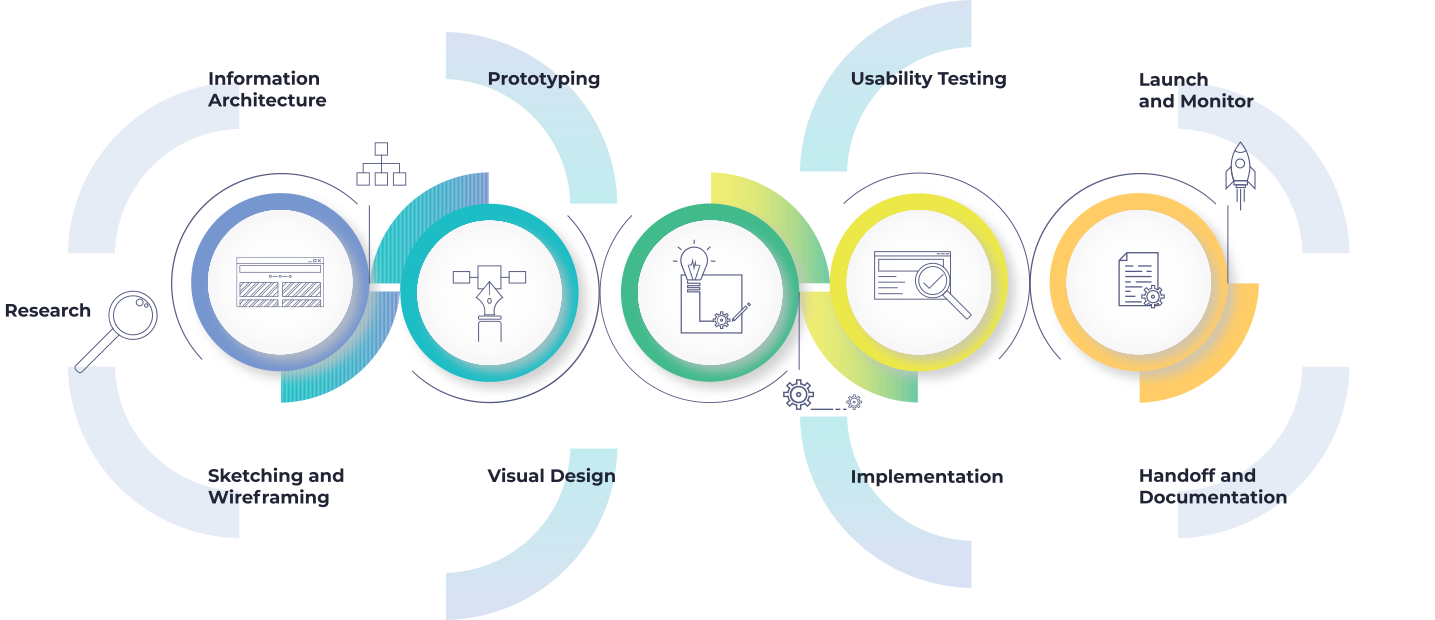
What problems UI/UX design solves
- Unclear user journeys that lead to drop-offs, confusion, and increased support load
- Features that technically work but feel inefficient or unintuitive to users
- Expensive redesigns caused by usability issues discovered too late
- Misalignment between product vision, business goals, and actual user needs
How we work in practice
User research and discovery
We begin by identifying who the users are, what problems they are trying to solve, and how they currently behave. This includes qualitative and quantitative research, hypothesis validation, and mapping user journeys across real scenarios.
Information architecture and flows
Research insights are translated into clear user flows and screen hierarchies. We focus on reducing cognitive load, clarifying intent, and making complex functionality understandable without oversimplifying it.
Wireframes and prototypes
Designs are iterated through low and high-fidelity prototypes that stakeholders and users can interact with. This makes ideas tangible early and allows fast, low-cost feedback before engineering effort is committed.
Design systems and consistency
We define reusable components, spacing rules, typography, and interaction patterns. This ensures visual and behavioral consistency as the product grows, new features are added, and multiple teams contribute.
Validation and iteration
Design decisions are tested with real users to validate usability, accessibility, and clarity. Feedback is incorporated early to reduce rework and ensure designs translate cleanly into development.
Technology stack
Tools we use to research user needs, design interfaces, and validate usability before development begins.
Research and collaboration
- Figma FigJam
- Miro
- Notion
- Google Forms
Design and prototyping
- Figma
Usability testing and insights
- Hotjar
- Maze
How UI/UX supports software development
UI/UX design provides engineering teams with clear, validated inputs. Well-defined flows, interactions, and design systems reduce ambiguity during implementation and allow frontend and backend teams to work more predictably.
Strong design upfront prevents downstream rework, shortens feedback loops, and enables faster, more confident development.
Typical design challenges we address
- Early-stage products validating their first user flows
- Complex platforms with growing feature sets and usability debt
- Products transitioning from MVP design to scalable systems
- Teams needing alignment between business goals and user experience
What this enables for your product
- Faster development with fewer design-related reworks
- Higher user adoption and engagement
- Clear, structured handoff to engineering teams
- A product experience that scales consistently over time